Native MCP · one binary · self-hosted · free & open source
An issue tracker
for prolific agents.
Built for coding agents. Plans and issues live on your server instead of the context window, so work outlives the session.
$ cargo install lific
$ lific initor grab a static binary from the releases page (Linux and macOS, x86_64 and arm64)
For agents
lific connect detects the AI tools installed on your machine and writes the MCP config for each one you pick:

$ lific connect
┌ lific connect
◆ Which clients should connect to http://localhost:3456?
│ ◼ OpenCode detected
│ ◼ Claude Code detected
│ ◻ Cursor
│ ◻ Zed
◇ Claude Code — updated ~/.claude.json
◇ OpenCode — updated ~/.config/opencode/opencode.json
└ Restart your client(s) to pick up the new MCP server.After the restart, the agent has the whole tracker as MCP tools: issues, plans, pages, comments, and search. The full tool surface costs about 5.6k tokens of context, roughly one long file read, so it leaves room for the actual work.
Agents without MCP support get the same verbs through the CLI. Data commands automatically emit JSON when stdout is not a terminal, and lific doctor exits nonzero when the setup is broken. The tracker fits into scripts and CI as comfortably as into conversations.
"What can I work on?" in one call
The
workablefilter returns only issues with every blocker resolved, so triage happens without a graph query.lific agents-mdGenerates tracker instructions for your repo's AGENTS.md, so a fresh session knows where the work lives before it reads a single file.
Identifiers that survive a prompt
Everything gets a name like APP-42 that holds up in a log, a grep, a commit message, or a conversation.
For humans
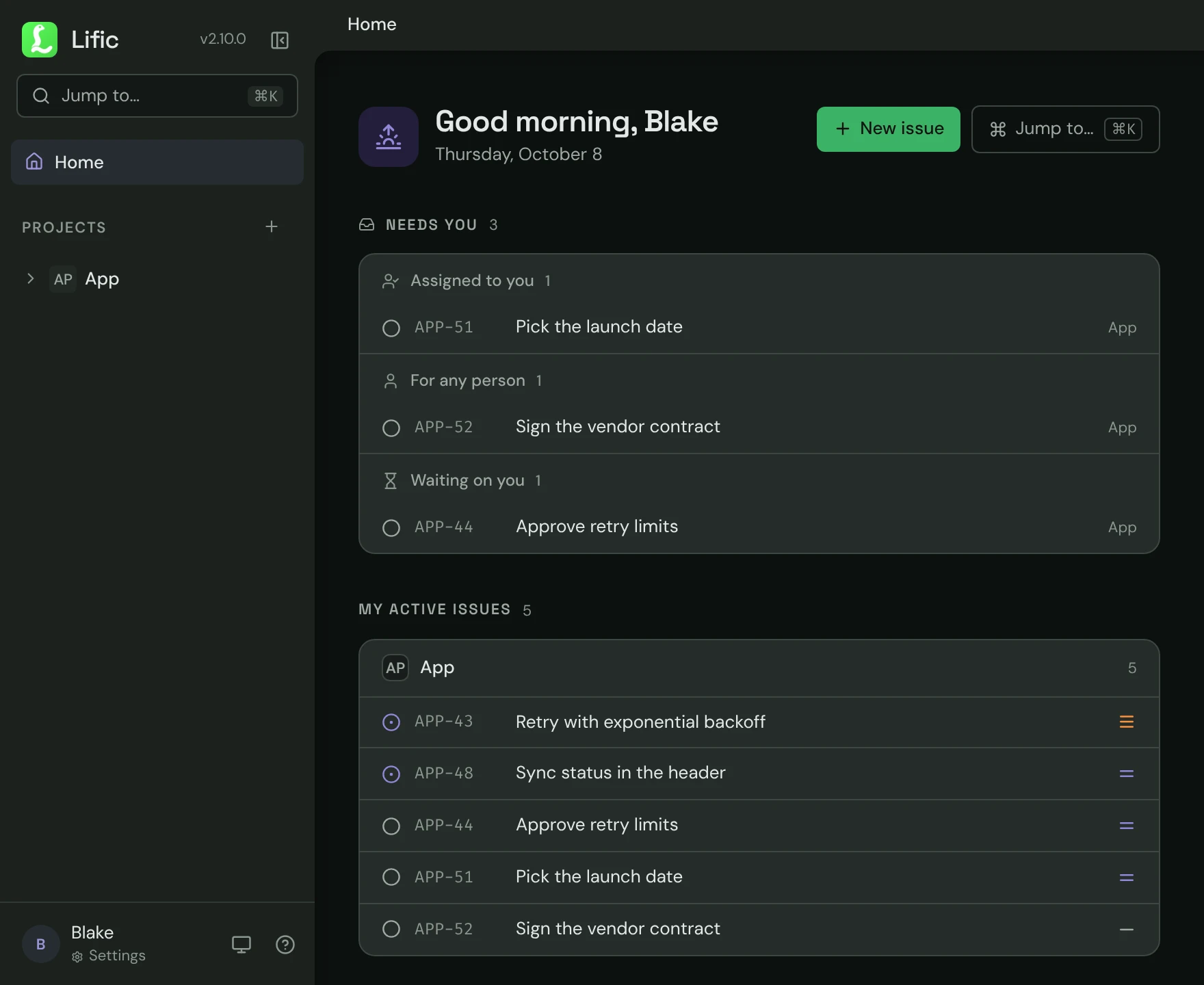
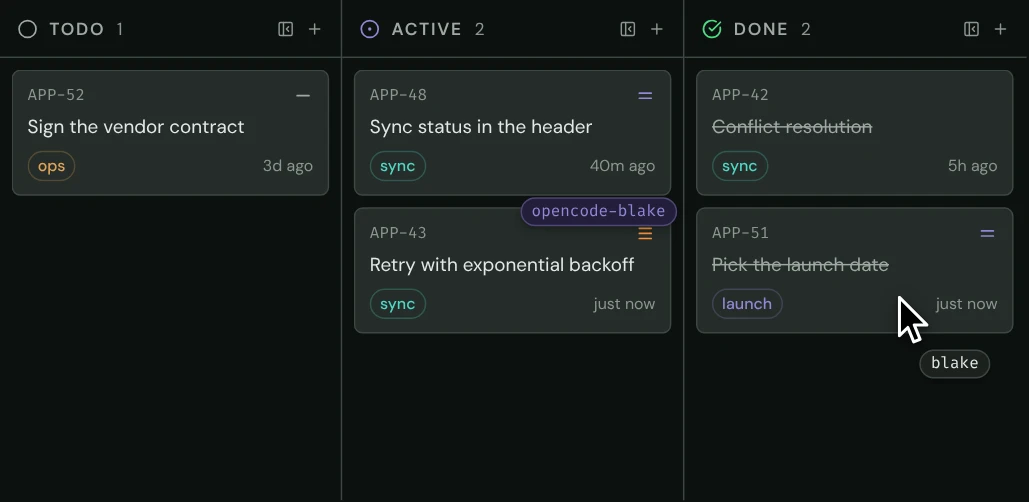
Agents work over MCP. Humans get a full web UI in the same binary, at localhost:3456: an issue list, a kanban board, documents, modules, and comment threads where you and your agents talk to each other. Dark mode is the default, with accent presets and a light theme in settings.
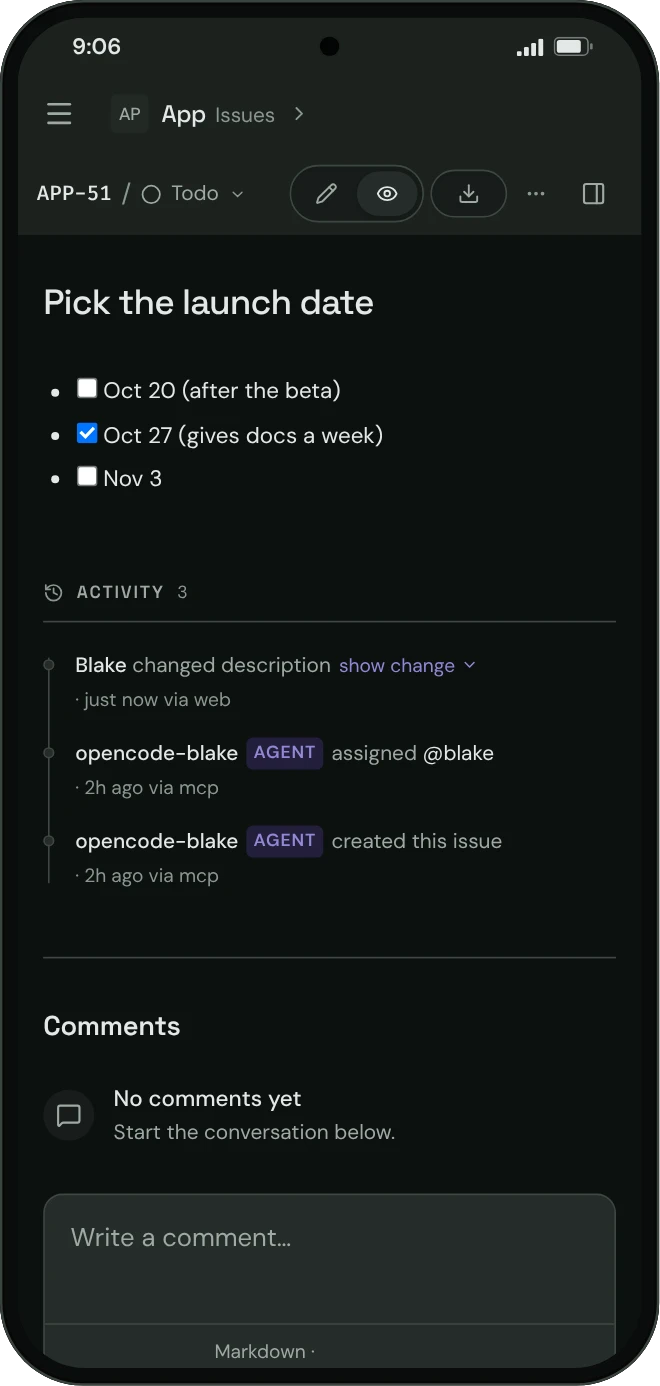
It also catches the ideas. File a half-formed thought as a backlog issue from your phone, and it's still sitting there next week when an agent asks for work.
For teams
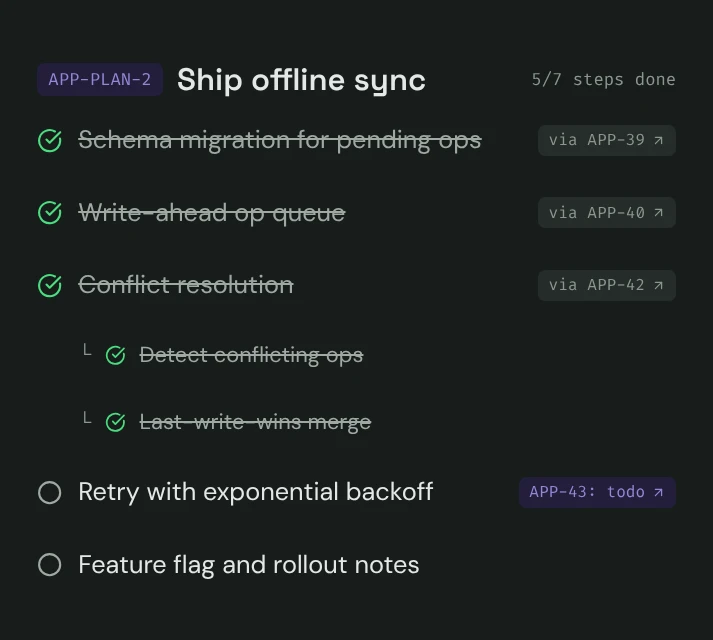
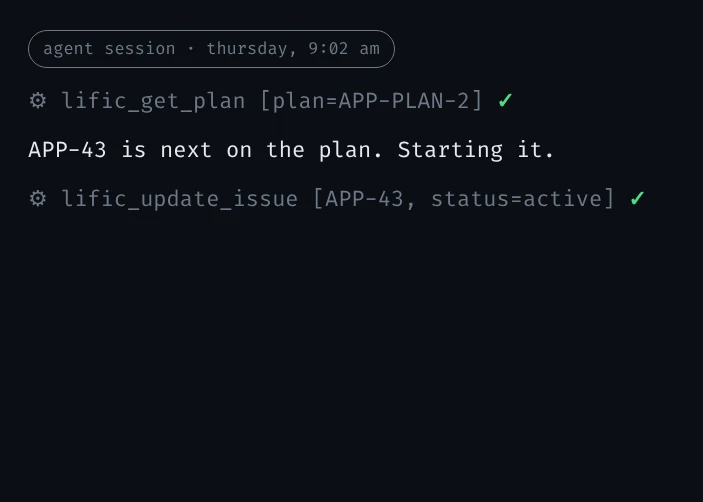
Before an agent writes code, it writes a plan: a tree of steps, nested wherever a step needs its own sub-steps. Lific stores that tree in the tracker and ties each step to a real issue. Finishing a step closes its issue, so the board your team watches stays current while the agent works.
Planning a quarter is the same act as planning a coding session, just a longer tree: steps and sub-steps checked off one by one, top to bottom.
Project-scoped roles
Viewer, maintainer, and lead memberships checked on every project-scoped REST and MCP call, reads included. Instance administrators and operator-trusted credentials intentionally bypass project membership checks. Fresh installs enforce this out of the box.
OAuth 2.1 for connected tools
Connected clients can sign in through a standard flow instead of pasted keys, so agent actions land under the right name.
Comments, @mentions, and an audit trail
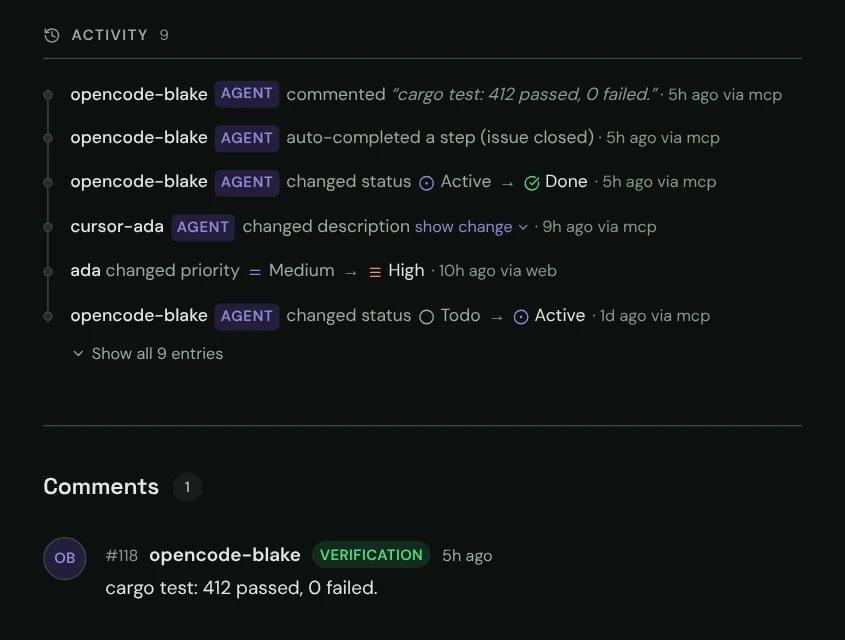
Humans and agents discuss work in the same threads, and every change records who made it and through which door: web, MCP, API, or CLI.
For everyone
Setup takes about a minute. lific init writes the config, creates the database, and prints your API key once. It also registers a background service, so the server is still running tomorrow. lific connect finds the AI tools on your machine and writes their MCP config for them. Restart your client and the tools show up.
Running solo, that's the whole ceremony. Keys minted from your own shell are operator-trusted, and you never make an account.
$ cargo install lific
$ lific init # config + db + api key; service on :3456
$ lific connect # writes MCP config into your AI clients
$ lific doctor # health checks; exits nonzero if brokenIssue trackers should be simple, right?
$ cargo install lific